
Can Claude generate images?
Claude can't paint pictures by itself, but it can still get you real images and video. The routes that work, and where the files end up.
In this articleThe straight answer: no picture model, but several ways round it
The straight answer: no picture model, but several ways round it
Anthropic’s own help page, dated 16 March 2026, puts it plainly: “Claude doesn’t generate photos or illustrations the way image-generation tools do.” Claude is a model that reads and writes. It can look at pictures you upload and describe them, but there is no picture model behind it, so asking for “a photo of a lighthouse at night” in a plain chat won’t give you one.
That’s the main difference from ChatGPT, which has image making built in: OpenAI’s help centre, updated this week, says ChatGPT Images is available on all tiers, now at version 2.5 (our GPT Image 2.5 page covers the model behind it).
What Claude does instead, as of 30 October 2026, falls into two groups:
| Route | What you get | Who can use it |
|---|---|---|
| Visuals in chat | Diagrams, charts and interactive visuals drawn in HTML and SVG | Claude web and desktop, in beta |
| Claude Design | Mockups, one-pagers, slides, exported as PPTX, PDF or HTML | Every plan, Free included |
| Claude Motion | Animated explainers built from text, charts, shapes and your images, saved as MP4 | Team and Enterprise, in beta |
| A connector to an image tool | Real generated pictures and video, made by that tool’s models | Any plan; Free gets one custom connector |
The first three are drawn in code, so they’re crisp and editable but never a photograph. Only the last one gives you what most people mean by “generate an image”.

What Claude draws itself: visuals, designs and Motion
Visuals in chat. The same help page says Claude can build “diagrams, charts, and interactive visuals” in the conversation, made with HTML and SVG, so you can click through them and ask for changes. Useful for a storyboard grid, a shot list laid out as a chart, or a flow of scenes; not for a hero shot.
Claude Design. Anthropic’s Claude Design page says “Describe a visual and Claude builds a first version”, then you refine it. It makes mockups, one-pagers, slides and presentations, is included in every plan including Free, and exports PPTX, PDF and HTML. Think layouts and decks: it arranges type and pictures rather than painting them.
Claude Motion. New this month. Anthropic’s post of 8 October 2026 describes animated explainers that play “like a short video”, such as a 30-second explainer or an animated chart, downloadable as MP4. Claude writes code that animates your “text, charts, shapes, and images”, and Anthropic is clear it “doesn’t use a video generation model, so there’s no generated footage and no AI-generated people”. It’s in beta on Team and Enterprise plans only, and Enterprise admins have to switch it on. Several of the articles ranking for this question were written before Motion existed.
Real pictures and video: connect an image tool
For generated pictures, Claude calls another company’s tool through a connector (the standard behind them is called MCP). You ask in the chat; the tool’s own models make the picture; Claude shows you the result.
Anthropic’s connectors help page says custom connectors work on Free, Pro, Max, Team and Enterprise, with “Free users are limited to one custom connector.” On Pro or Max you go to Customize, Connectors, + Add, Add custom connector, then paste the tool’s address. Anthropic also warns that custom connectors aren’t verified by it, that “Malicious MCP servers may include hidden instructions”, and that you should only connect servers you trust.
Some connectors as of 30 October 2026, from each listing:
- Higgsfield’s MCP makes pictures and video. Its help page, updated 24 October 2026, lists image and video generation across its models, Marketing Studio, Ad Multiplier, Genjutsu, Soul characters and audio. Its connection guide says “An active paid subscription is required”, there’s no API key (you sign in), and the address is
https://mcp.higgsfield.ai/mcp. Higgsfield’s official platforms page adds: “A connector with any other URL is not Higgsfield.” - Canva’s connector, Anthropic verified and listed since November 2025, can “Search, create, autofill, and export Canva designs”, including generating new designs (listing).
- Adobe’s connector, Anthropic verified and listed since April 2026, reaches Photoshop, Lightroom, Illustrator, Firefly, Premiere, Express and more, for editing photos, creating designs and resizing video (listing). Anthropic’s creative work post of 28 April 2026 introduced it.
- OpenArt offers its own MCP connector too, as its blog post explains; that post is a good walkthrough, though naturally only of OpenArt.
Two things to know before you start. First, every generation costs whatever that tool charges: Higgsfield says “MCP always uses credits”, even on a plan with Unlimited, which applies only on its website. Second, there’s no spending cap built in. Higgsfield suggests telling the assistant “Always ask for approval before generating” and naming a credit limit, while noting the assistant may not always follow it. Check each maker’s pricing page before a big batch. Our Higgsfield plan, API or MCP guide goes into the money side.
Claude Code and Cowork: the same idea, on your computer
Claude Code can’t make pictures by itself either, but it can use a tool that does. Its MCP docs add a remote server with claude mcp add --transport http <name> <url>, and you sign in by running /mcp inside Claude Code. It can also write and run a short script that calls an image tool’s API, if you have a key for one.
For Higgsfield specifically, its CLI page says: “Use MCP for chat agents like Claude web, and CLI for coding agents like Claude Code or Cursor.” Both draw on the same plan credits.
The practical difference is where the result lands. A connector in the Claude app shows you the picture in the chat and keeps the original in the tool’s account: Higgsfield saves MCP and CLI generations to your Assets on higgsfield.ai, “tagged with the MCP source”. A script that Claude Code or Cowork runs saves files into a folder on your computer, wherever the script puts them, often deep inside a project you’ll forget about.
Keeping what Claude makes in one place
Once you’re making pictures from Claude as well as on the tools’ own websites, the same work ends up in several places: the chat, the tool’s history, and folders on your computer. Our guide to where AI images are saved covers each platform’s own history.
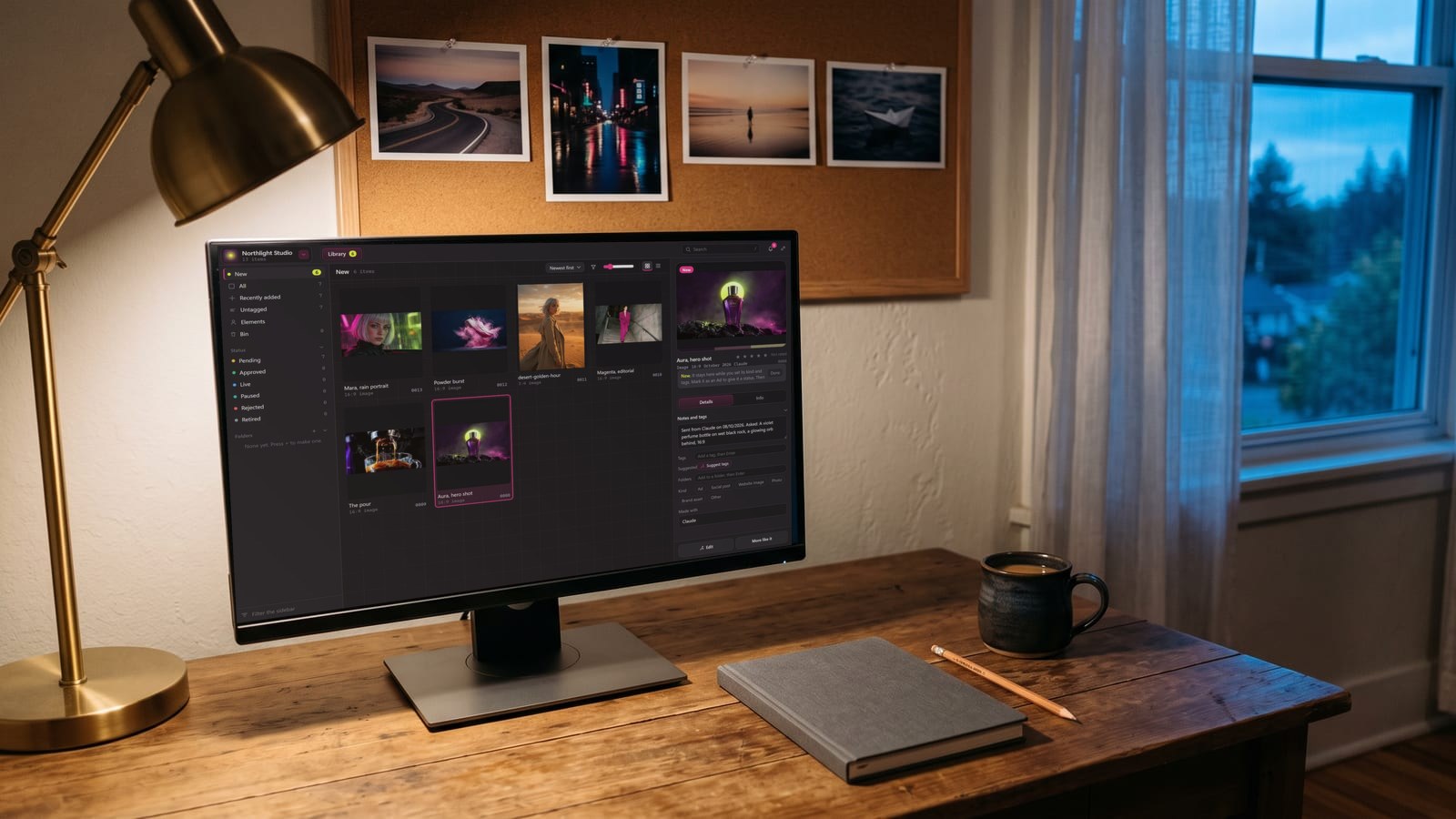
That scattering is the problem we built BosOn to solve. BosOn is a desktop app for Windows and Mac, in early access. Claude and Codex on your computer can send it each finished picture, video or sound file once you switch them on, and it keeps where the file came from and what was asked. What Claude Code, Codex and Cowork sessions made on your computer comes in with one click, newest first, and so does everything you’ve made on Higgsfield. All of it sits in one library you can search by what’s in the pictures. The Capture page shows how, and Integrations lists what connects today.
Questions people also ask
Can Claude generate images like ChatGPT?
No. ChatGPT has image making built in (OpenAI's help centre calls it ChatGPT Images, available on all tiers), while Anthropic's help centre says Claude doesn't generate photos or illustrations the way image-generation tools do. Claude can make pictures only by calling another tool through a connector.
Can Claude generate images for free?
Claude's free plan can add one custom connector, according to Anthropic's connectors help page, so it can reach an image tool. Whether that tool charges is up to its maker: Higgsfield's MCP, for example, needs an active paid Higgsfield subscription and spends plan credits on every generation.
Can Claude make videos?
Not generated footage on its own. Claude Motion, in beta on Team and Enterprise plans since 8 October 2026, animates text, charts, shapes and your images in code and exports an MP4; Anthropic says it uses no video generation model. For generated video, Claude needs a connector to a video tool such as Higgsfield's MCP.
How do I get Claude Code to generate images?
Give it a tool that does. Claude Code can add a remote MCP server with claude mcp add --transport http, then sign in with /mcp. Higgsfield recommends its CLI rather than its MCP for coding agents such as Claude Code; both spend the same plan credits.
Is there an official Higgsfield connector for Claude?
Higgsfield's official platforms page, updated 24 September 2026, says its only official connector address is mcp.higgsfield.ai/mcp and that a connector with any other address is not Higgsfield. In Claude you add it as a custom connector, which Anthropic notes it hasn't verified.
Sources
- Claude Help Center: Can Claude produce images? (16 March 2026)
- Claude Help Center: Get started with custom connectors using remote MCP
- Claude: Build live dashboards and animate explainers with Claude (8 October 2026)
- Claude: Claude Design
- Anthropic: Claude for Creative Work (28 April 2026)
- Claude connectors: Canva
- Claude connectors: Adobe
- Claude Code docs: Connect Claude Code to tools via MCP
- Higgsfield Help Center: What is Higgsfield MCP? (updated 24 October 2026)
- Higgsfield Help Center: How do I connect Higgsfield to an AI agent? (updated 24 September 2026)
- Higgsfield Help Center: How do I access Higgsfield via CLI? (updated 24 September 2026)
- Higgsfield Help Center: What are the official Higgsfield platforms? (updated 24 September 2026)
- Higgsfield: MCP
- OpenAI Help Center: Images in ChatGPT
- OpenArt: Can Claude generate images? (12 August 2026)
Keep reading
All guides

Make it anywhere, find it in BosOn.
Every picture, video and sound you make with AI, in one library on your computer.
Request early accessNight drive, made with Kling 3.0 from a GPT Image 2.5 still