Nano Banana 2: what it is, what it is good at, and where to use it
Nano Banana 2 is Google's everyday picture model, properly called Gemini 3.1 Flash Image: launched on 26 February 2026, it makes and edits pictures from 512px to 4K, keeps characters and objects consistent, and writes legible text. As of 5 October 2026 it is the default in the Gemini app and generally available in Google's API; this page covers what it does well, how it differs from Nano Banana Pro and Nano Banana 2 Lite, and where you can run it.
Nano Banana 2 is Google’s everyday picture model
Nano Banana 2 is the name Google gives to Gemini 3.1 Flash Image. Google DeepMind announced it on 26 February 2026, in a post by product manager Naina Raisinghani, as a model that brings Nano Banana Pro’s “advanced world knowledge, quality and reasoning” to the speed of Gemini’s Flash models.
In plain terms, it is the picture model Google wants most people to use most of the time. On launch day it replaced Nano Banana Pro in the Gemini app across the Fast, Thinking and Pro modes, and it became the default picture model in Flow, Google’s filmmaking tool. In Google’s developer documentation, read on 5 October 2026, it is “the most versatile model, generalist workhorse model for all tasks”.
It went from preview to finished in three months. Google’s Gemini API changelog records Nano Banana 2 (model code gemini-3.1-flash-image) as generally available on 28 May 2026, the same day as Nano Banana Pro, and Google Cloud’s announcement that day added a preview of video as an input, so you can give it a clip and ask for a picture from it, such as a thumbnail.
What it is good at
Google’s launch post and its developer documentation (both read on 5 October 2026) agree on five strengths.
- Speed. It is a Flash model, built to answer fast. Higgsfield, which offers it, describes it as two to three times faster than Pro; Google itself doesn’t give a figure for Nano Banana 2.
- Sizes from small to 4K. It makes pictures at 512px, 1K, 2K and 4K, in a range of shapes. Of the current Nano Banana models, only this one offers 512px, which is handy for quick drafts. On Google Cloud’s enterprise platform, 1K and 2K are generally available and 4K was still marked preview on 28 May 2026.
- Keeping people and things the same. Google’s launch post says it keeps the resemblance of “up to five characters” and the fidelity of “up to 14 objects in a single workflow”. The API documentation is more precise about inputs: up to 4 pictures of characters to keep them consistent, and up to 10 pictures of objects to include with high fidelity, in one request.
- Text you can read. Google says it renders “accurate, legible text” and can translate and localise the text inside a picture, which matters for posters, packaging and ads in more than one language.
- Knowing what things look like. It can draw on Google Search, and it is the only Gemini picture model with image search grounding: it can look at real pictures of a place or object before drawing it.
It also “thinks” before it draws, and in the API you can set that thinking to minimal or high.
Two honest limits. Google publishes no side-by-side quality tests against other companies’ models, and we haven’t run any, so this page doesn’t claim it beats them. And pictures from Google’s models carry a SynthID watermark: invisible in every picture made through the API, and joined by a visible watermark in the Gemini app.
Nano Banana 2, Pro and Lite: which one to use
As of October 2026 there are three current Nano Banana models, plus the original Nano Banana (Gemini 2.5 Flash Image), which Google now calls legacy and suggests replacing with Lite. Everything in this table comes from Google’s Gemini API documentation, read on 5 October 2026.
| Nano Banana 2 Lite | Nano Banana 2 | Nano Banana Pro | |
|---|---|---|---|
| Model | Gemini 3.1 Flash Lite Image | Gemini 3.1 Flash Image | Gemini 3 Pro Image |
| Google’s description | Fastest and cheapest | The versatile workhorse | For the most complex visual tasks |
| Sizes | 1K only | 512px, 1K, 2K, 4K | 1K, 2K, 4K |
| Object references | Up to 14 | Up to 10 | Up to 6 |
| Character references | Not listed | Up to 4 | Up to 5 |
| Google Search | No | Yes, plus image search | Yes |
Use Nano Banana 2 for nearly everything: drafts, finished pictures, edits, product shots and characters. It is the only one with every size and image search.
Use Nano Banana Pro when a picture is genuinely hard: a dense layout, a lot of text, many instructions at once, or five characters who all need to look right. In the Gemini app, Google AI Plus, Pro and Ultra subscribers can make a picture with Nano Banana 2 and then regenerate it with Nano Banana Pro from the three-dot menu.
Use Nano Banana 2 Lite for volume: lots of quick ideas, or a large batch where speed matters more than detail. It became generally available on 30 June 2026. Google says Lite is “not optimized for multiple reference inputs or multi-turn sequential editing”, so for a character you want to keep, or a picture you’ll edit over several steps, use Nano Banana 2 instead.
For what any of them cost, see Google’s own Gemini API pricing page, or the pricing page of whichever platform you use; prices change too often to repeat here.
Where you can run it
As of 5 October 2026:
- The Gemini app. Choose “Create images” from the tools menu, then type a prompt or upload a picture to edit. It’s the simplest place to start.
- Flow. Google’s filmmaking tool has used Nano Banana 2 as its default picture model since launch, which suits making start frames for video.
- Google Search. In AI Mode and Lens, through the Google app and in mobile and desktop browsers. Google’s launch post said this reached 141 more countries and territories.
- Google AI Studio and the Gemini API, for building it into your own tools, and Google Cloud’s Gemini Enterprise Agent Platform for businesses.
- Other platforms. Higgsfield offers Nano Banana 2 alongside Pro and Lite, and it’s good at putting a picture model next to video models such as Kling and Seedance, so a still can go straight into a clip.
BosOn runs Nano Banana 2 through your own Google Gemini account, and Gemini is one of the integrations that are ready today (see the integrations page). BosOn also works with your Higgsfield account, so you can reach Nano Banana 2 through whichever one you already pay for.
Getting the most from it
A few habits that suit Nano Banana 2’s strengths, and every one follows from what Google says it does.
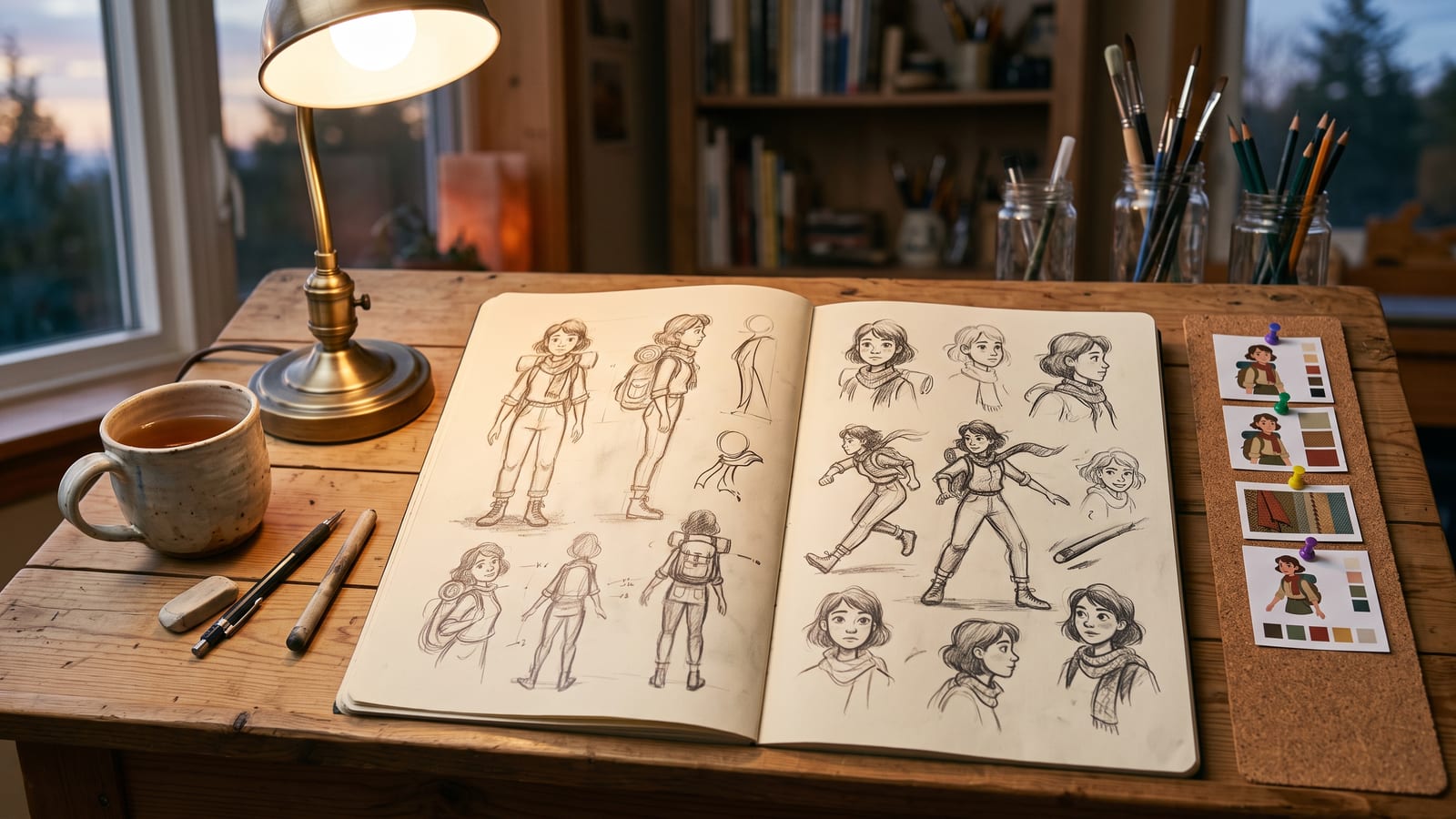
Write prompts like a brief. Subject, setting, light, lens or style, and mood, as in the prompt under the picture above. Because the model reasons before it draws, a clear sentence about what matters beats a list of keywords.
Draft small, finish large. Try ideas at 512px or 1K, then make the one you like at 2K or 4K. Small drafts come back sooner, so you can try more ideas.
Build a set of references and reuse it. The model’s consistency works from the pictures you give it: a clean picture of each character, the product from the front and side, the location. Keep that set together and use the same pictures every time, rather than a different screenshot each session. In BosOn we call these elements: you make a character once and use them in any prompt, on whichever platform runs it (see elements on our home page).
Ask for the text you want, exactly. Put the words in quotation marks in the prompt, and say where they go. If you work in more than one language, ask it to translate the text in a finished picture rather than starting again.
Keep what works where you will find it. A model this quick makes a lot of pictures, scattered across the Gemini app, Flow, Higgsfield and your downloads. BosOn files the pictures you keep from its Create screen in one library, named, dated and marked with the model that made them, next to everything else you’ve made. BosOn is Windows only and in early access.
We will update this page when Google changes the Nano Banana models.
Questions people also ask
Is Nano Banana 2 the same as Gemini 3.1 Flash Image?
Yes. Nano Banana 2 is Google's friendly name for Gemini 3.1 Flash Image, announced on 26 February 2026. In the Gemini API its model code is gemini-3.1-flash-image, generally available since 28 May 2026.
What is the difference between Nano Banana 2 and Nano Banana Pro?
Google describes Nano Banana 2 as its versatile workhorse for all tasks and Nano Banana Pro (Gemini 3 Pro Image) as the premium choice for the most complex visual tasks. As of October 2026, Nano Banana 2 adds a 512px size and image search grounding, and takes more object references (10 against 6), while Pro takes one more character reference (5 against 4).
What is Nano Banana 2 Lite?
Nano Banana 2 Lite (Gemini 3.1 Flash Lite Image) is Google's fastest and cheapest picture model, generally available in the Gemini API since 30 June 2026. It makes 1K pictures only, and Google says it is not optimised for multiple reference inputs or step-by-step editing.
How many reference images can Nano Banana 2 use?
Google's Gemini API documentation, as of October 2026, says Nano Banana 2 takes up to 10 pictures of objects to include with high fidelity and up to 4 pictures of characters to keep them consistent. Google's launch post describes keeping the resemblance of up to five characters and up to 14 objects across a single workflow.
Does Nano Banana 2 add a watermark?
Every picture Google's image models make through the Gemini API carries an invisible SynthID watermark. Pictures made in the Gemini app also get a visible watermark, and you can upload a picture to the Gemini app to check whether Google's AI made it.
Sources
- Google: Nano Banana 2, combining Pro capabilities with lightning-fast speed (26 February 2026)
- Google AI for Developers: Image generation with Gemini (Nano Banana)
- Google AI for Developers: Gemini API changelog
- Google Cloud: Nano Banana 2 and Nano Banana Pro are generally available (28 May 2026)
- Google: Start building with Nano Banana 2 Lite and Gemini Omni Flash (30 June 2026)
- Google Gemini: Image generation and editing in Gemini
- Higgsfield: Nano Banana Pro and Nano Banana 2