
How to start a faceless YouTube channel with AI, and keep it able to earn
Pick a niche you can tell a hundred stories about, write your own scripts, and use AI for the voice, the pictures and the clips. This guide takes each step in turn, sets out YouTube's own rules on AI-made and mass-produced videos as of October 2026, and shows how we make a whole Short in one place.
A faceless channel is a story channel
A faceless YouTube channel is one where nobody appears on camera. The videos are carried by a voice, pictures and clips, and since 2024 most of that can be made with AI. People run them for history, true mysteries, science, kids’ stories and explainers for their own trade, and the best ones have one thing in common: each video tells a story worth hearing.
That matters more in 2026 than it did a year ago. On 15 July 2025 YouTube renamed its “repetitious content” rule to inauthentic content, and its monetisation policies now name mass-produced and repetitive videos directly: minimal variation between videos, slideshows with little story, near-identical templates, and AI content from “generic or unoriginal templates”. The same page says using AI to visualise a character and story you invented is fine when the result shows your own creative vision.
So the plan for a faceless channel that can earn is simple: your ideas and your words, with AI doing the making.
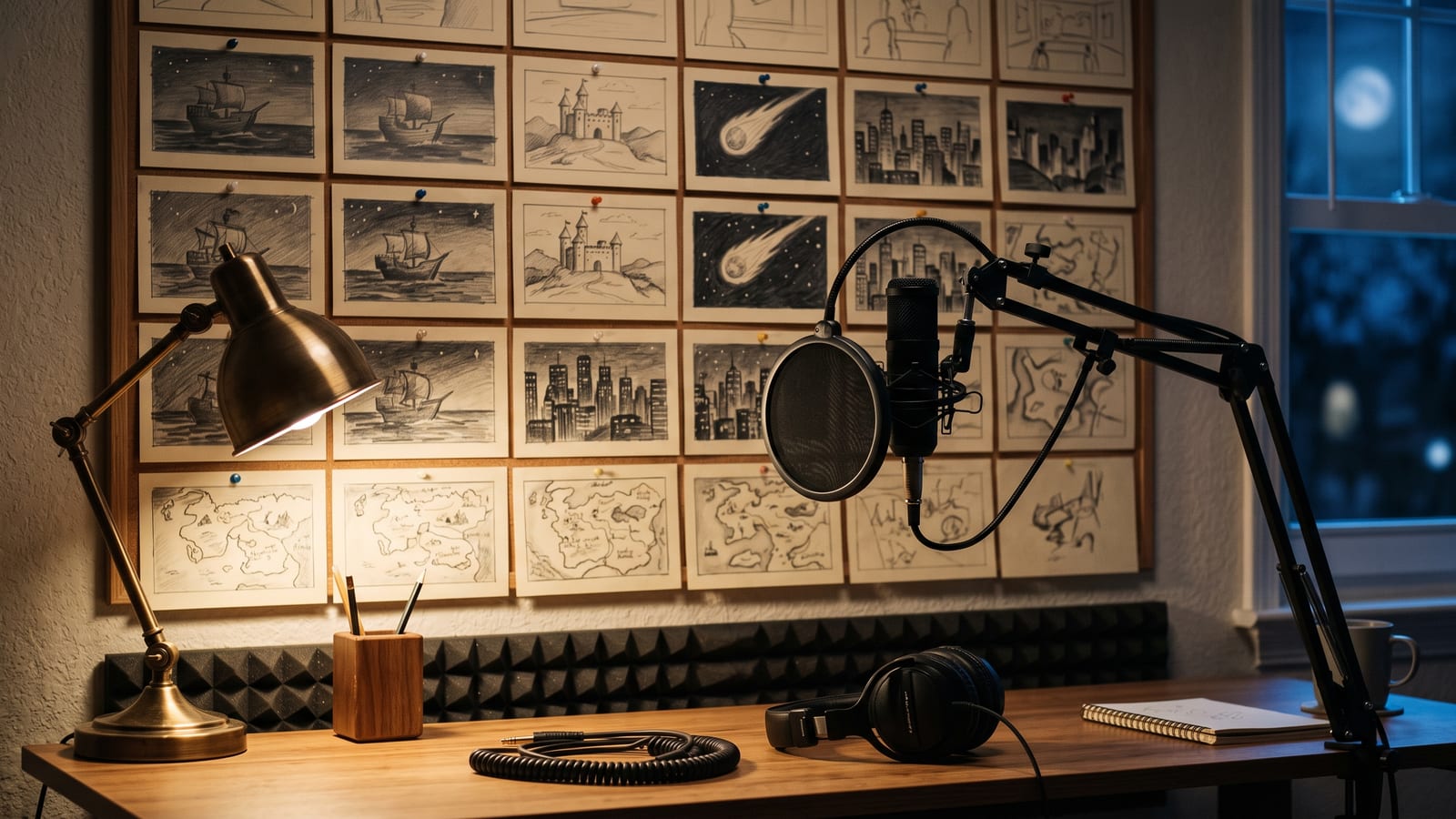
Step 1: pick a niche you can tell a hundred stories about
The niche decides everything else. A good one has three things: an endless supply of stories, a reason to watch to the end, and a look you can keep the same from video to video.
- History in 60 seconds: one event, one turning point, one question for the comments.
- Mysteries and unexplained events: Roswell, lost ships, strange signals. Stick to what’s documented, and say where the facts end.
- Science and how things work: one idea a video, explained the way you’d explain it to a friend.
- Myths, legends and bedtime stories: gentle, illustrated, made for a younger audience or for parents.
- Your own trade: if you know property, fitness, cooking or law, short explainers are a strong faceless format, and nobody else has your knowledge.
Before you start, write down ten video titles. If you can’t, the niche is too narrow. Then choose one visual style for the whole channel, so a viewer recognises your videos in the feed.
Step 2: write the script yourself, then let AI make it
A one-minute Short is about 150 words: roughly a dozen lines of 10 to 14 words, each with a picture. Write it, or at least shape it, yourself. Your words are what make each video different, which is exactly what YouTube’s policy looks for, and they are what make people subscribe.
A shape that works for short explainers:
- The hook (first line): the surprising fact or the question. “In 1947, something strange landed near Roswell, New Mexico.”
- The story (8 to 10 lines): what happened, in order, one picture a line.
- The turn: the part most people don’t know.
- The question: end on one natural question people will answer in the comments.
Then the making: a voice for the narration (an AI voice, a cloned voice of your own, or your own recording), a picture for each line in your style, a short clip from each picture, captions burnt into the video, and quiet music under the voice.
How we make a whole Short in one place
We built Explainer Studio in BosOn to do every one of those steps in one window, and here is what it actually does, with two of our own Shorts.
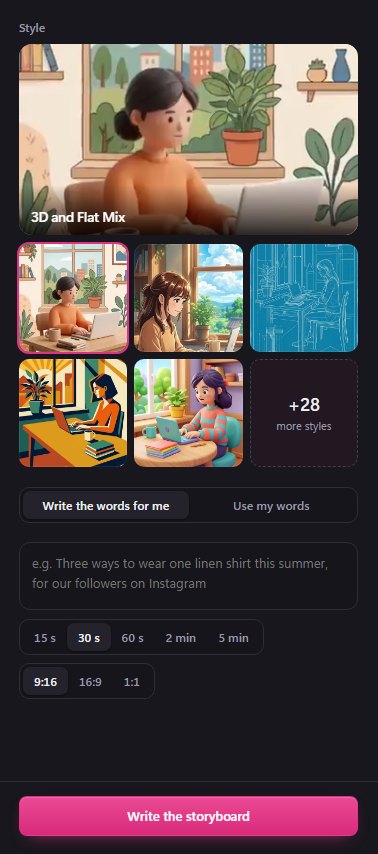
- Your story, your words. Say what it’s about and BosOn writes a storyboard, a scene about every five seconds, ending on a question for the comments. Or choose Use my words, paste your own script, and it’s cut into scenes with your words kept exactly as written.
- One style for the whole channel. Pick from our own styles, from Anime and Claymation to Ink and Wash, Felt Toys and Isometric, and every picture in every scene follows it.
- Every scene before you spend. Each scene shows its line, what’s seen and how long it runs. Rewrite any scene, with a note on how, and Redraw any picture until it’s right.
- Your voice. Higgsfield’s voices, your own ElevenLabs voices (cloned ones included), or a voice you record yourself. Music is made for it on Google’s Lyria or ElevenLabs.
- Made side by side, then finished. The clips are made at the same time, with Resume if anything stops. Watch it, redo a single clip if one isn’t right, then finish it in 1080p, upright for Shorts or wide for YouTube.
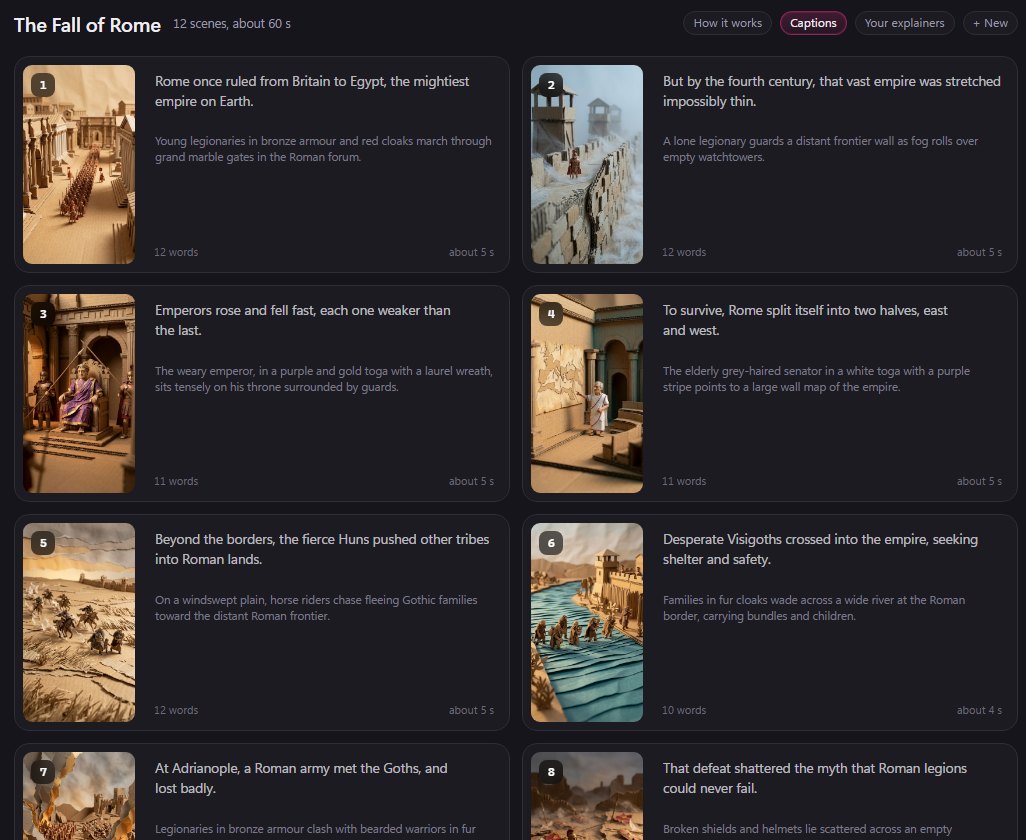
Here is the finished Short:
The next update adds more: Add a scene anywhere in the story, written to fit between the scenes either side, and 2 and 5 minute lengths for longer YouTube videos. Explainer Studio opens with your Higgsfield plan connected, and its parts can be made on the plan, the Higgsfield API or your own Kie.ai key; each part is priced before you make it. It’s in early access, and you can see everything it makes on our Create page.

Step 3: follow YouTube’s own rules on AI
Three rules from YouTube’s own help pages, read on 11 October 2026:
| What YouTube says | |
|---|---|
| Original content | Mass-produced or repetitive videos aren’t paid. A distinct idea in each video, your own words, and AI used to visualise your story are fine. Reading out text you didn’t write isn’t. |
| The AI label | Required when AI makes or changes realistic content: a real person saying something they didn’t, altered real events, or a realistic scene that never happened. Animated or clearly unrealistic content, and AI help with scripts, captions and ideas, are exempt. Tick it in YouTube Studio when you upload. |
| Shorts | Up to three minutes, square or vertical (Upload YouTube Shorts). |
The illustrated styles most faceless channels use fall under “animated”, so they usually don’t need the label, but a photorealistic scene of a real place or person does. When in doubt, read YouTube’s page on disclosing AI content for your exact case.
Step 4: post on a schedule, and know what earning takes
Consistency beats volume: three or four Shorts a week you’re proud of will do more than thirty you aren’t, and YouTube’s policy is written against the thirty. Reply to the comments your closing question brings in, and turn the best-performing stories into a series.
To earn from the YouTube Partner Programme, as of October 2026 you need 1,000 subscribers and either 4,000 watch hours in 12 months or 10 million Shorts views in 90 days. YouTube has announced that from 1 February 2027 new applicants will need 8,000 watch hours or 20 million Shorts views. A lower tier at 500 subscribers unlocks memberships, Super Thanks and Shopping.
Keep every video’s pieces together as you go: the script, the pictures, the clips and the finished cut. When a story does well, you’ll want to make part two in the same style, and that’s much easier when it’s all in one library. If you’re on TikTok or Instagram too, our guides to faceless TikTok accounts and faceless Instagram pages cover what’s different there.
BosOn is independent and isn’t affiliated with or endorsed by YouTube or Google.
Questions people also ask
Can a faceless YouTube channel with AI voices be monetised?
Yes, if the videos are original. YouTube's monetisation policies, updated on 15 July 2025, call mass-produced or repetitive videos inauthentic content and won't pay for them, but they say using AI to visualise a character and story you invented, or to help with scripts and visuals, is fine when the result shows your own creative vision. Reading out text you didn't write is not allowed.
How many subscribers does a faceless channel need to make money on YouTube?
As of October 2026, the YouTube Partner Programme asks for 1,000 subscribers and either 4,000 watch hours in 12 months or 10 million Shorts views in 90 days. From 1 February 2027 new applicants need 8,000 watch hours or 20 million Shorts views. A lower tier at 500 subscribers unlocks fan funding such as memberships and Super Thanks.
Do I have to label AI-made videos on YouTube?
Only when AI makes or meaningfully changes realistic content: a real person saying something they didn't, altered real events, or a realistic scene that never happened. YouTube's disclosure page says animated or clearly unrealistic content, and AI help with scripts, captions and ideas, don't need the label.
How long can a YouTube Short be?
Up to three minutes, in a square or vertical shape, according to YouTube's Shorts help pages. A vertical 9:16 video of 15, 30 or 60 seconds is the most common size for a faceless Shorts channel.
What are good faceless YouTube channel ideas?
Niches with a near-endless supply of stories that work without a face: history in 60 seconds, unsolved mysteries, science explained, myths and legends, kids' bedtime stories, and explainers for a trade you know well. Choose one you can make a hundred distinct videos about, each with its own idea.
Sources
- YouTube Help: YouTube channel monetisation policies (inauthentic content update, 15 July 2025)
- YouTube Help: The YouTube Partner Programme overview and eligibility
- YouTube Help: Changes to the YouTube Partner Program (from 1 February 2027)
- YouTube Help: Overview of the expanded YouTube Partner Program
- YouTube Help: Disclosing use of GenAI content
- YouTube Help: Upload YouTube Shorts