
How to start a faceless Instagram page with AI
Pick a niche and one look, post original Reels told by a voice over AI-made pictures and clips, and turn each story into a carousel too. This guide covers each step, Instagram's own rules on AI labels and original content as of October 2026, the ways Instagram pays creators, and how we make a whole Reel in one place.
A faceless Instagram page lives on its look
A faceless Instagram page is one where you never appear: Reels told by a voice over pictures and clips, and carousels that tell the same stories in stills. With AI making the voice and the visuals, one person can run a page about history, science, legends or their own trade.
Instagram rewards something specific. On 30 April 2026 it said, in Rewarding original creators on Instagram, that its originality rules now cover photos and carousels as well as Reels, and that accounts which mainly post unoriginal content aren’t recommended until most of their posts over a rolling 30 days are original. It also said 75% of recommendations in the US now come from original posts.
So the page that grows is the one making its own stories, in its own recognisable style.

Step 1: pick a niche and one look
On Instagram the grid is the first thing a new visitor sees, so the look matters as much as the niche. Choose both together:
- Illustrated history: one moment a post, in a painterly or paper diorama style.
- Bedtime stories and fables: soft, warm illustration, made for parents to share.
- Science and nature in one picture: a striking image and a short explanation.
- Places and their legends: a town, a castle or a coastline and the story behind it.
- Your own trade: short explainers from what you know, in a clean, simple style.
Then keep the same style in every Reel and every carousel. A visitor should be able to tell it’s your page from the grid alone.
Step 2: write your own stories, Reels first
A Reel of about a minute is around 150 words: a first line that stops the scroll, one line a scene, and a closing question for the comments. Write it yourself, or at least shape it. Instagram’s Original Content Guidelines count your own voice-over and creative edits as original, and adding borders, watermarks or changing the speed of someone else’s content as not.
Keep Reels under three minutes. Instagram’s help page on recording Reels says they can run to 20 minutes, but Reels over 3 minutes won’t be recommended to new audiences. Make them upright: Instagram supports shapes from 1.91:1 to 9:16, at least 720 pixels and 30 frames a second (Reel size and aspect ratios).
Every Reel can become a carousel too: the same story told in its strongest five to ten pictures, with the lines as captions. That’s a second post from work you’ve already done, and it’s still original.
How we make a whole Reel in one place
BosOn’s Explainer Studio turns a story into a finished upright video in one window, and it keeps every story you’ve made, so a page’s look stays consistent from one post to the next.
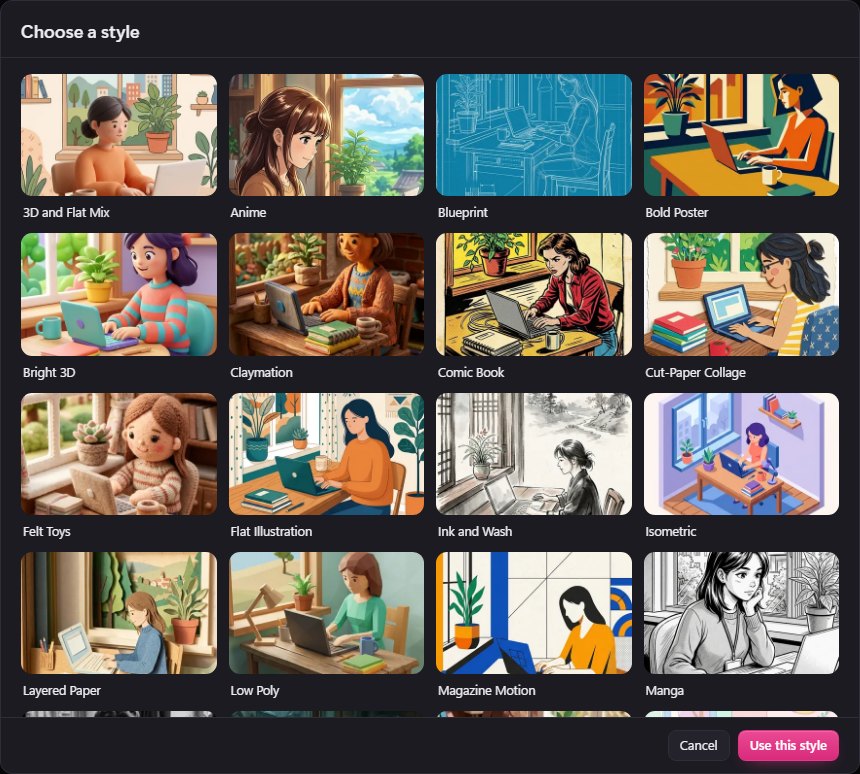
- One look for the whole page. Pick from our own styles, from Felt Toys and Cut-Paper Collage to Ink and Wash and Isometric, and every picture in every scene follows it.
- Your story, or one written for you. Say what it’s about and BosOn writes a storyboard, a scene every five seconds, ending on a question for the comments; or choose Use my words and paste your own script, kept exactly as written.
- Every scene before you spend. Rewrite a line, Redraw a picture, and see each scene’s timing before any clip is made.
- Voice, captions and music. Higgsfield or ElevenLabs voices, your own cloned or recorded voice, captions burnt in, and music made to sit under the voice.
- Upright and finished. Choose 9:16, make the clips side by side, watch it, redo one clip if you need to, and finish it in 1080p.
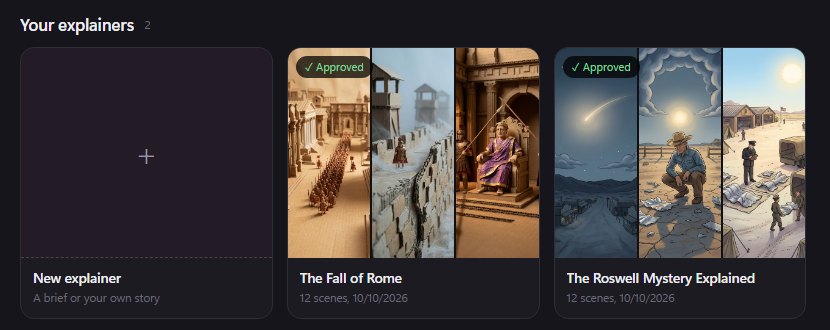
The next update adds Add a scene, to grow a story wherever it needs it, and 2 and 5 minute lengths. Posting to Instagram from BosOn is coming with early access. Explainer Studio opens with your Higgsfield plan connected, and its parts can be made on the plan, the Higgsfield API or your own Kie.ai key, each priced before you make it. See what else BosOn makes on our Create page.

Step 3: follow Instagram’s rules on AI and originality
From Meta’s and Instagram’s own pages, read on 11 October 2026:
| What Instagram and Meta say | |
|---|---|
| The AI label | Creators must use the disclosure tool for photorealistic video or realistic-sounding audio that was digitally created or altered, and Meta may apply penalties if they don’t (Meta, updated 1 April 2025). Meta also adds its AI info label when it detects C2PA or IPTC metadata. |
| Where the label shows | Since 12 September 2024, content only edited with AI shows the label in the post’s menu; fully AI-generated content keeps the visible label (Meta, updated 23 October 2025). |
| Original content | Only the original of identical content is recommended, and accounts that repost others’ content 10 or more times in 30 days lose recommendations (30 April 2024). Since April 2026 this covers photos and carousels too. |
An illustrated story page is less likely to need the AI label than photorealistic content, but when a scene could pass for real, disclose it.
Step 4: post consistently, and know how Instagram pays
Post Reels and carousels on a rhythm you can keep, reply to the comments your closing questions bring in, and turn the best stories into series. Instagram’s own ways to earn, from its help pages:
- Subscriptions: a professional account, at least 10,000 followers and aged 18 or over, available in the UK and US (Subscriptions).
- Gifts on Reels: a professional account, at least 500 followers and aged 18 or over (Gifts).
- Bonuses: by invitation only, and still being tested.
- Branded content: paid partnerships, shown with Instagram’s paid partnership label.
Keep each story’s pieces together so your look stays consistent and a carousel is quick to make from a Reel. If you’re on other platforms too, our guides to faceless YouTube channels and faceless TikTok accounts cover what’s different there.
BosOn is independent and isn’t affiliated with or endorsed by Instagram or Meta.
Questions people also ask
Can a faceless Instagram page make money?
Yes, through Instagram's own tools and brand deals. Instagram's help pages list subscriptions (a professional account, 10,000 followers and aged 18 or over), gifts on Reels (500 followers and aged 18 or over), invite-only bonuses, and branded content with the paid partnership label.
Do I have to label AI content on Instagram?
Meta requires creators to use its disclosure tool for photorealistic video or realistic-sounding audio that was digitally created or altered, and may apply penalties if they don't. It also adds an AI info label itself when it detects industry-standard AI indicators such as C2PA or IPTC metadata. Clearly illustrated content is less likely to need it, but if in doubt, disclose.
Will Instagram show AI-made Reels to new people?
Instagram recommends original content and holds back reposts. Its April 2026 update says accounts that mainly post unoriginal content aren't recommended until most of their posts over a rolling 30 days are original, and its originality guidelines count your own voice-over and creative edits as original. A story you wrote and made is original.
How long should a faceless Reel be?
Up to three minutes if you want it recommended to new people: Instagram's help page says Reels can run to 20 minutes, but Reels over 3 minutes won't be recommended to new audiences. Use an upright 9:16 shape, which sits within Instagram's supported range of 1.91:1 to 9:16.
What are good faceless Instagram page ideas?
Niches where one look carries the page: illustrated history, cosy bedtime stories, science in one picture, places and their legends, and short explainers for a trade you know. Choose one where every post can share the same style, so the grid itself sells the page.
Sources
- Instagram for Creators: Rewarding original creators on Instagram (30 April 2026)
- Instagram for Creators: Helping creators find new audiences (30 April 2024)
- Instagram for Creators: Original Content Guidelines
- Meta: Our approach to labeling AI-generated content and manipulated media (updated 23 October 2025)
- Meta: Labeling AI-generated images on Facebook, Instagram and Threads (updated 1 April 2025)
- Instagram Help Centre: Record a reel on Instagram
- Instagram Help Centre: Reel size and aspect ratios
- Instagram Help Centre: Subscriptions
- Instagram Help Centre: Gifts on reels