
How to keep a character consistent across AI pictures and video
Make one small set of reference pictures and one fixed written description of your character, then give both to every model you use, rather than describing them afresh each time. This guide covers what goes in the set, how many references each major model takes as of October 2026, and how to carry a character from stills into video.
Consistency comes from references, not from a better prompt
The usual way a character drifts is this: you describe them well in the first prompt, get a picture you love, and then describe them again for the next scene. The words are nearly the same, the face isn’t. Each generation starts from scratch, and a text description leaves the model thousands of ways to draw “short copper hair and a green raincoat”.
What fixes it is giving the model a picture of the character every time. As of October 2026, every major picture and video model takes reference images: Google’s Nano Banana models, OpenAI’s GPT Image, Kling, Seedance, and Higgsfield’s Soul models through a trained character. That changes the division of labour: the character lives in the pictures you attach, and the prompt describes the scene.
So the job is less about clever prompting and more about keeping house: make one good set of references, write one fixed description, and use both everywhere.
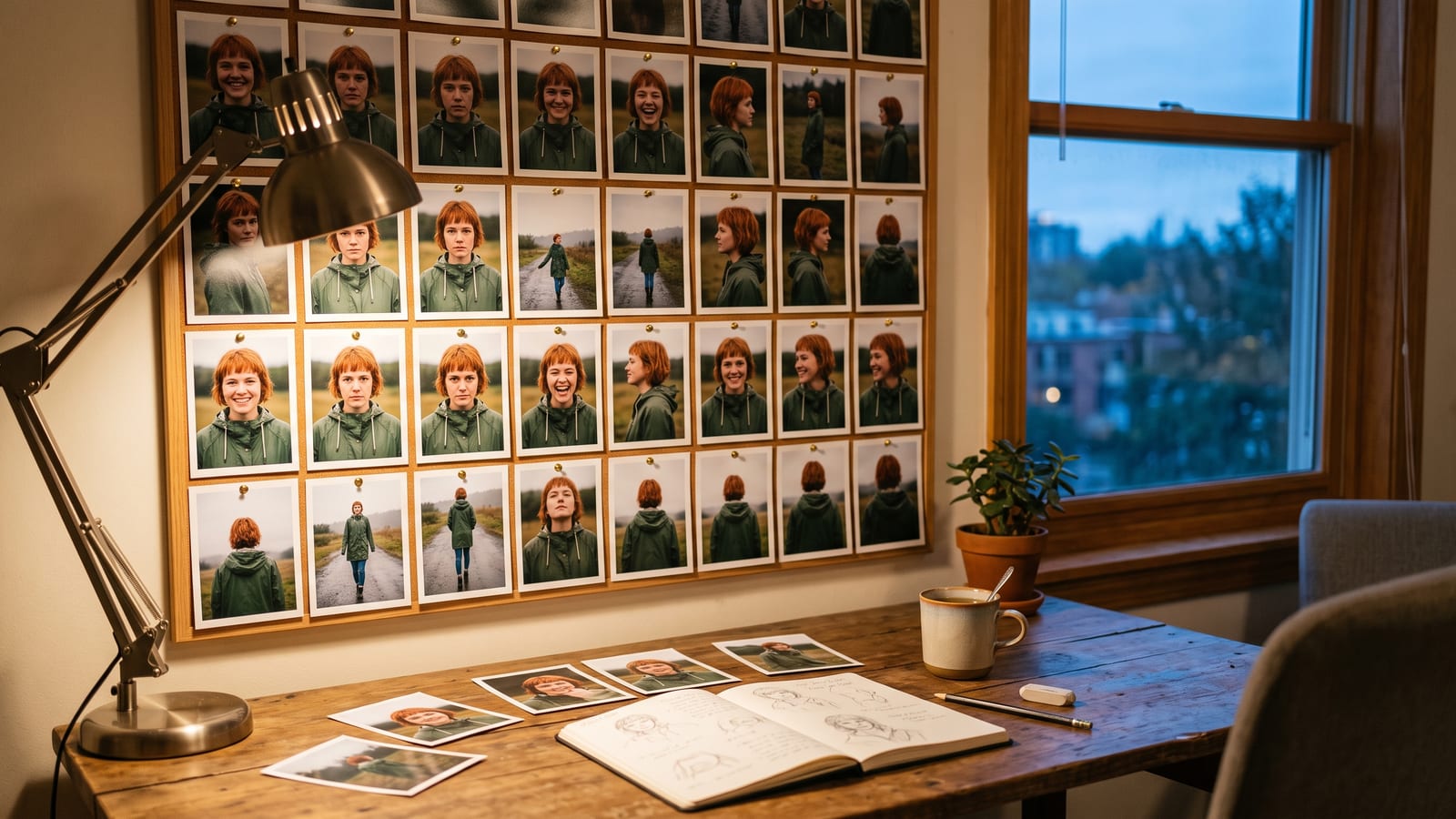
Build one reference set, and keep it small and clean
Most models take only a handful of character pictures, so each one has to earn its place. A set that works almost anywhere:
- A clear front view, face and shoulders, even light, neutral expression. This is the one you will attach most.
- A profile or three-quarter view, so the model knows the shape of the nose, jaw and hair from the side.
- A full-length shot, for build, height and the whole outfit. Higgsfield’s Soul ID guidance asks for at least one full-height photo too.
- One or two expressions, if the character needs to laugh, shout or cry in the story.
Keep the set consistent with itself: the same outfit, the same style and similar light. A studio portrait next to a cartoon sketch gives the model two characters to average. Leave out anything you want to change from scene to scene, such as a hat or a background, so it isn’t treated as part of who they are.
The easiest way to make the set is with a picture model: generate the front view until it is right, then ask for the same person from the side, full length and smiling, with the first picture attached. Discard any that drift, even slightly: whatever is in the references gets carried into everything made from them.
How many references each model takes, as of October 2026
Limits differ a lot, and they decide how much of your set you can use at once. All of these come from each maker’s own pages, read on 6 October 2026.
| Model | What it takes for characters | Source |
|---|---|---|
| Nano Banana 2 (Google) | Up to 4 character images and up to 10 object images, 14 in total | Gemini API docs |
| Nano Banana Pro (Google) | Up to 5 character images and up to 6 object images, 14 in total | Gemini API docs |
| GPT Image (OpenAI) | “One or more images” as references; no maximum stated in the guide | OpenAI image guide |
| Kling 3.0 | Up to 7 images or subjects, or 1 video plus 4 images or subjects | Kling, 30 September 2026 |
| Kling 4.0 | Up to 15 references: 10 images, 7 subjects, 5 videos (30 seconds combined), plus voice | Kling, 30 September 2026 |
| Seedance 2.0 (ByteDance) | Up to 9 images, 3 video clips and 3 audio clips | ByteDance Seed, 12 February 2026 |
| Soul ID (Higgsfield) | A trained character from 20 to 80 photos of one person | Higgsfield help centre, 2 September 2026 |
A few notes on reading that table fairly. Google separates character pictures from object pictures, which is useful: your character’s face goes in one, their bag or product in the other. OpenAI is candid in its own guide, listing consistency as a limitation and saying the model “may occasionally struggle to maintain visual consistency for recurring characters” across generations; the answer is to attach your references every time instead of relying on the conversation remembering. Kling 4.0’s full model is due in October 2026 with no day given (see our Kling 4.0 page), so check what your account has. And Soul ID works differently from the rest: rather than attaching pictures to each prompt, you train once, and Higgsfield says the character then works across its Soul models and appears as an element in Seedance video on Higgsfield. Its help page also sets the right rule for real faces: photos of yourself, or of someone who has given permission.
Write one description and never rephrase it
References carry the face; a short fixed description carries what pictures leave ambiguous. Write it once, in a few lines, and paste it unchanged into every prompt:
- Name, rough age and build.
- Hair: colour, length, how it falls.
- The fixed parts of the outfit, with colours.
- One or two distinguishing details: a scar, freckles, a silver ring.
Then keep the prompt in two parts: the character block, word for word every time, and the scene, which is where all your changes go (place, action, light, camera, mood). If the character needs a new outfit for a scene, say so in the scene part and leave the block alone.
Rephrasing is where drift creeps back in. “Copper hair” in one prompt and “auburn hair” in the next are, to a model, two different instructions. Keep the block in a text file next to the reference pictures, so you copy it rather than retype it.
Carrying the character into video
Video asks more of a model than a still does: the face has to stay the same while it moves, turns and catches different light. Three habits help.
Start from a still you have already approved. Make the opening frame with your picture model, using the reference set, then animate that frame. The video model then only has to keep the character, not invent them. Every clip in our showreel was made this way: Kling 3.0, animating a still made with GPT Image 2.5.
Attach the references to the video job too. Kling and Seedance both take several reference images in one job (the table above has the numbers), so give them the same front view and profile you used for the stills. On Higgsfield, a trained Soul ID shows up in Seedance as an element automatically.
Keep shots short and check each one. Generate a shot, compare the face with your front view, and only then make the next. A shot that has drifted is cheaper to redo than to build on, and the next shot’s start frame should come from a good one.
Keep the set where every tool can reach it
The method above only works if the references and the description are to hand whenever you open any tool. That sounds obvious until they are split between a Gemini chat, a Higgsfield history and the Downloads folder.
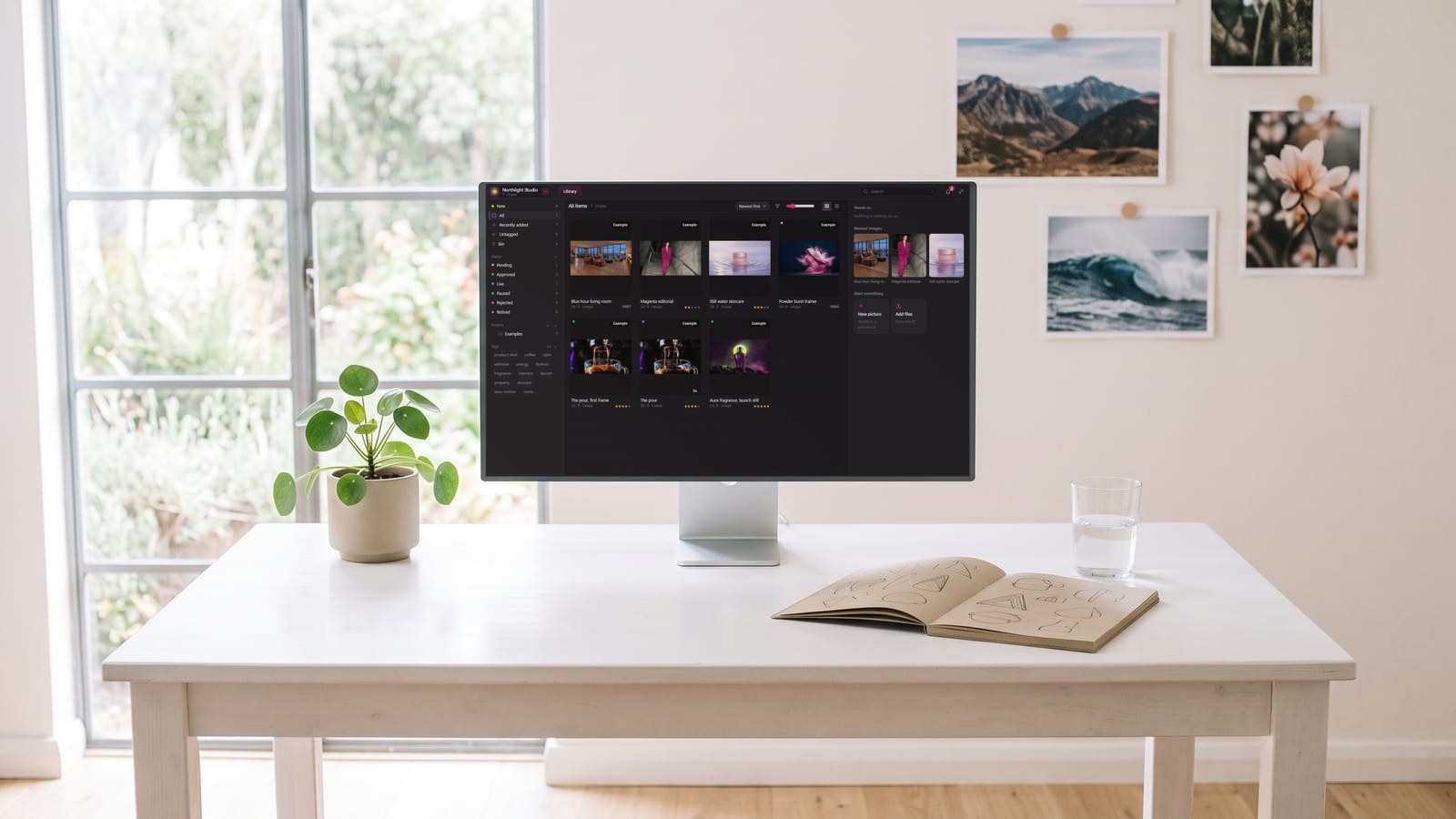
That is the problem we built elements for in BosOn: you make a character once, with their pictures, and write @ and their name in any prompt. BosOn sends them to whichever platform runs it, as that platform’s own element where it has them and as the reference pictures where it doesn’t. Mara on our home page is the worked example. BosOn runs through your own accounts; Higgsfield, Google Gemini and OpenAI are ready today (see the integrations page), and it is Windows only and in early access.
Whatever you use, the rule is the same: one set of pictures, one description, used everywhere, and anything that drifts goes in the bin rather than into the set.
Questions people also ask
How many reference pictures does Nano Banana 2 take for a character?
Google's Gemini API documentation, read on 6 October 2026, says Nano Banana 2 (Gemini 3.1 Flash Image) takes up to 4 images of characters to keep them consistent and up to 10 images of objects, with 14 reference images in total. Nano Banana Pro takes up to 5 character images and up to 6 object images.
Can ChatGPT and GPT Image keep a character consistent?
They can use one or more pictures as references for a new image, according to OpenAI's image generation guide as of October 2026. The same guide lists consistency as a limitation: the model may occasionally struggle with recurring characters across many generations, so attach your reference pictures every time rather than relying on the conversation.
How many references can Kling use for a character?
Kling's own comparison of 30 September 2026 says Kling 3.0 takes up to 7 images or subjects, or one video plus 4 images or subjects. Kling 4.0 takes up to 15 references in one task: up to 10 images, up to 7 subjects, up to 5 videos with 30 seconds combined, and voice references.
What is Higgsfield Soul ID?
Soul ID is Higgsfield's trained character. Its help centre, last updated 2 September 2026, says you upload 20 or more photos of one person, up to 80, and training takes a few minutes. The character then works across Higgsfield's Soul models and appears as an element in Seedance video on Higgsfield.
Can I make a consistent character from a real person's photos?
Only from your own photos, or a person who has agreed. Higgsfield's Soul ID help page says to upload photos of yourself, or of someone who has given you permission to use their likeness, and the same care applies on every platform.
Sources
- Google AI for Developers: Image generation with Gemini (Nano Banana)
- OpenAI: Image generation guide
- Kling AI: Kling 4.0 vs 3.0, what's different in the new model? (30 September 2026)
- ByteDance Seed: Seedance 2.0 launch post (12 February 2026)
- Higgsfield: How to create and use a Soul ID character (updated 2 September 2026)